Follow us on:

🏖️ SUMMER SALES 2026 20% TO ALL!
 USE CODE SUMMER26

00 Days
00 Hours
00 Minutes
00 Seconds

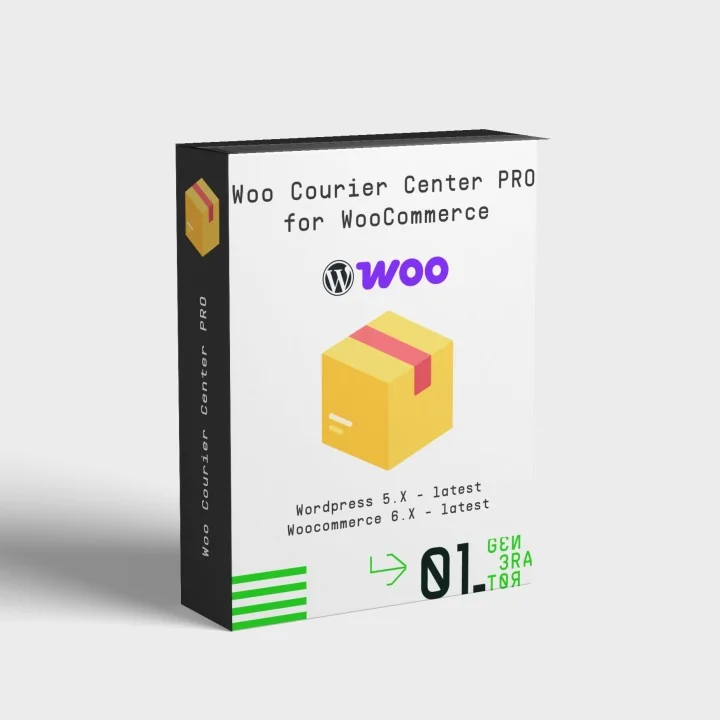
MyCourierCenter Pro – Courier Center Integration for WooCommerce

  • Last update 08/24/2026
  • WooCommerce version 5.X - 10.X
  • Module version 0.1.3

Create, print, cancel and track Courier Center vouchers directly from WooCommerce, with bulk actions, customer tracking emails and CRON-based delivery updates.
Price: €79.99
Tax included
  • Open Source Code
  • 3 months upon purchase with unlimited downloads while support is active
  • Each purchase equals to one license of use, each license is valid for only one Store. Each license is registered to one domain.
€79.99
  • Support
    3 months from the purchase date
  • Download Updates
    Free download updates as long as you have active support
  • License
    1 license per domain
  • Current Version
    0.1.3
  • Compatibility
    v5.X
    v6.X
    v7.X
  • Last Update Date (MM/DD/YYYY)
    08/24/2026

About module

Version
0.1.3
Last update
08/24/2026
Available in
English, Greek
Read documentation

What this plugin does for you

MyCourierCenter Pro connects your WooCommerce store with Courier Center so your shipping workflow stays inside your orders screen. Create and print vouchers, process multiple shipments in bulk, track deliveries and automate order updates without repeatedly entering the same order information in separate systems.

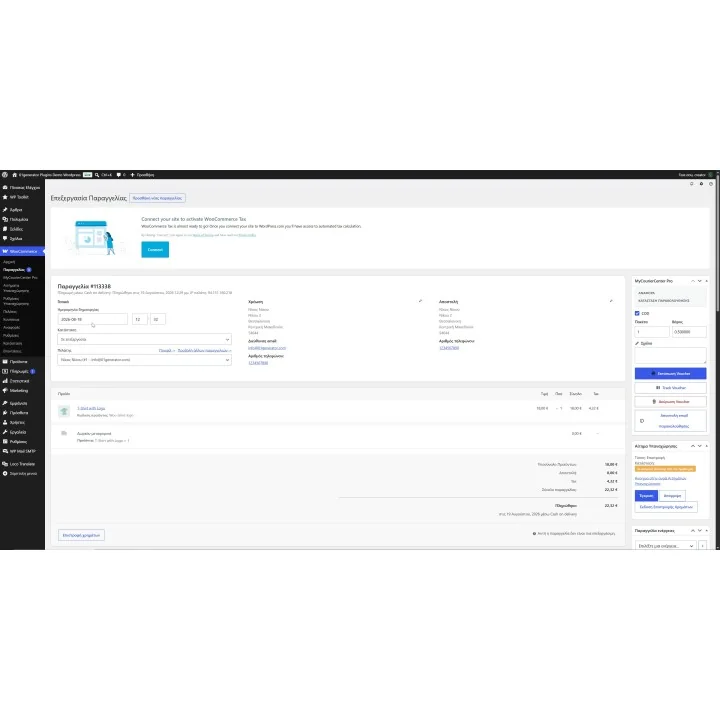
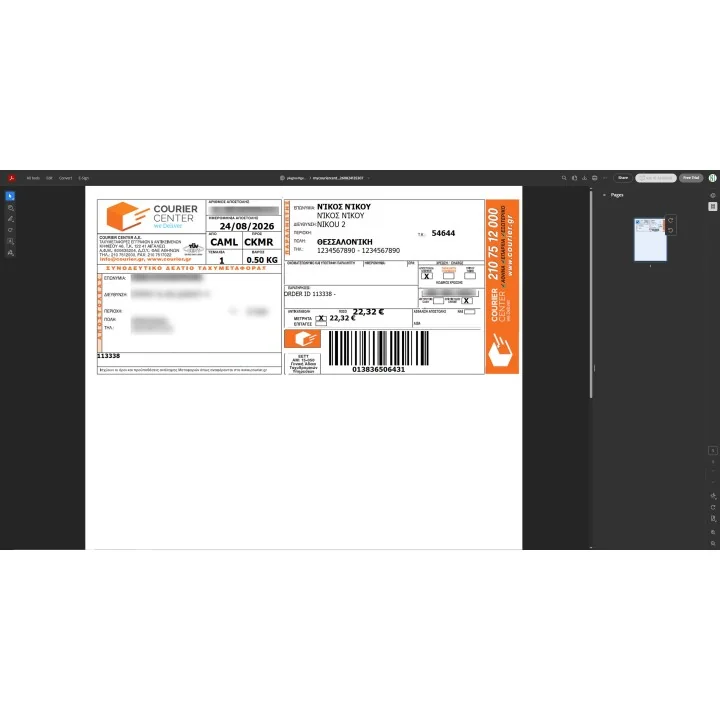
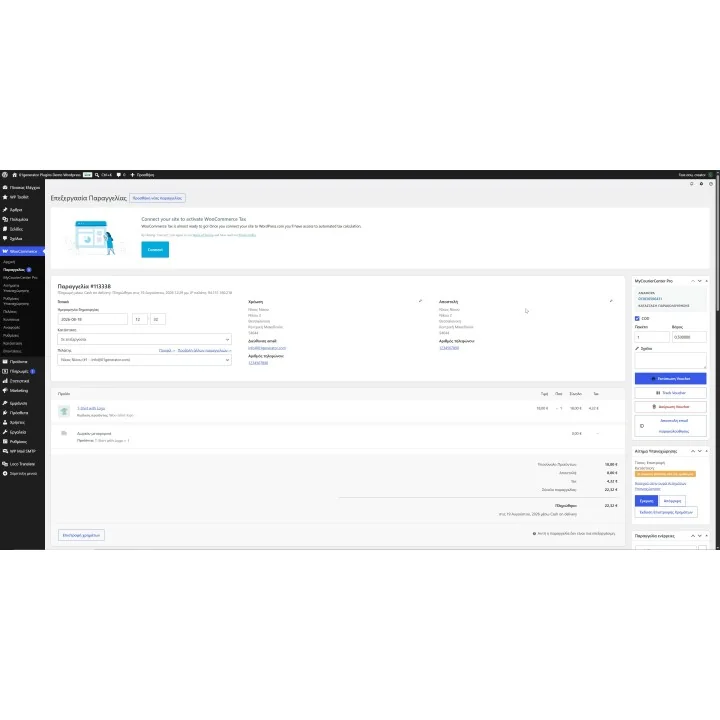
  • Create Courier Center vouchers directly from WooCommerce orders.
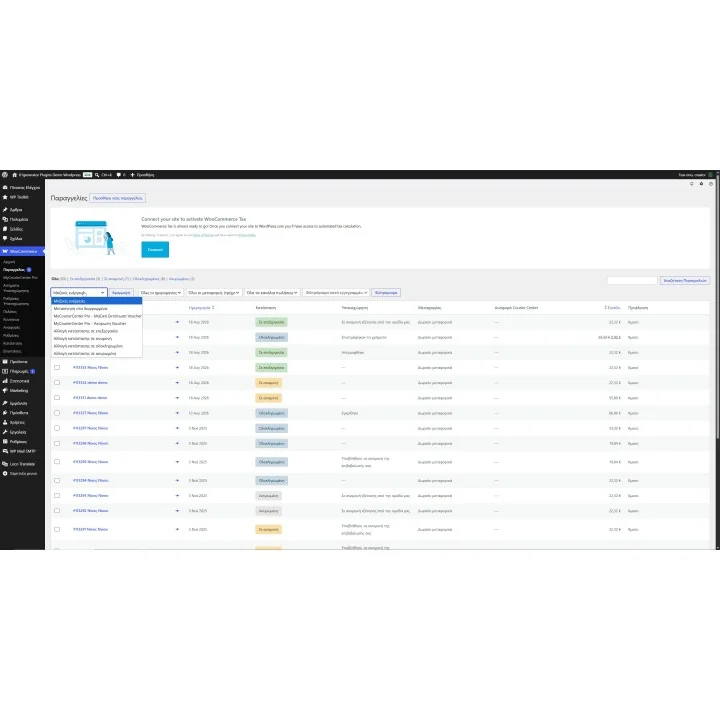
  • Create and print vouchers for multiple selected orders using bulk actions.
  • Keep Courier Center shipment and tracking information connected to the corresponding WooCommerce order.
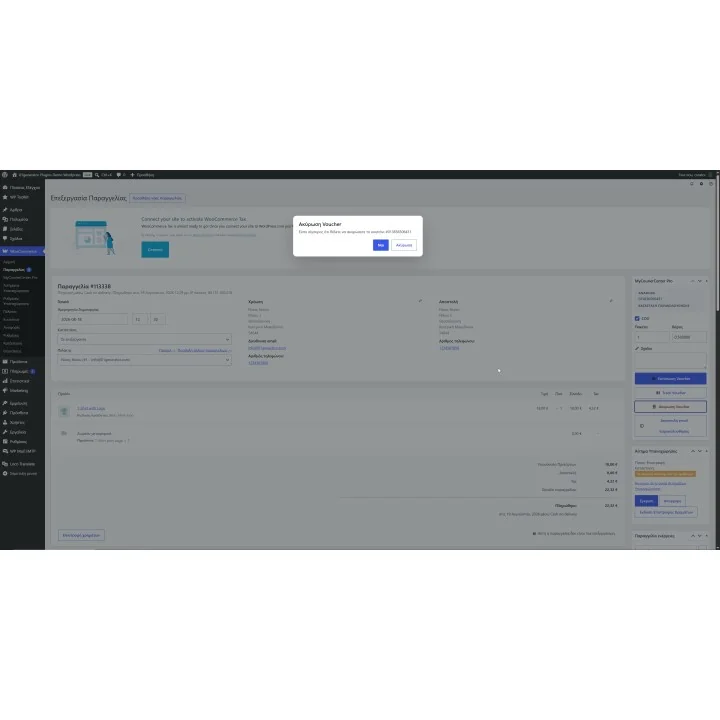
  • Cancel vouchers directly from your store when a shipment needs to be withdrawn.
  • Track Courier Center shipments without leaving the WooCommerce workflow.
  • Use COD, Saturday delivery, parcel count, shipment weight and delivery comments when creating supported shipments.
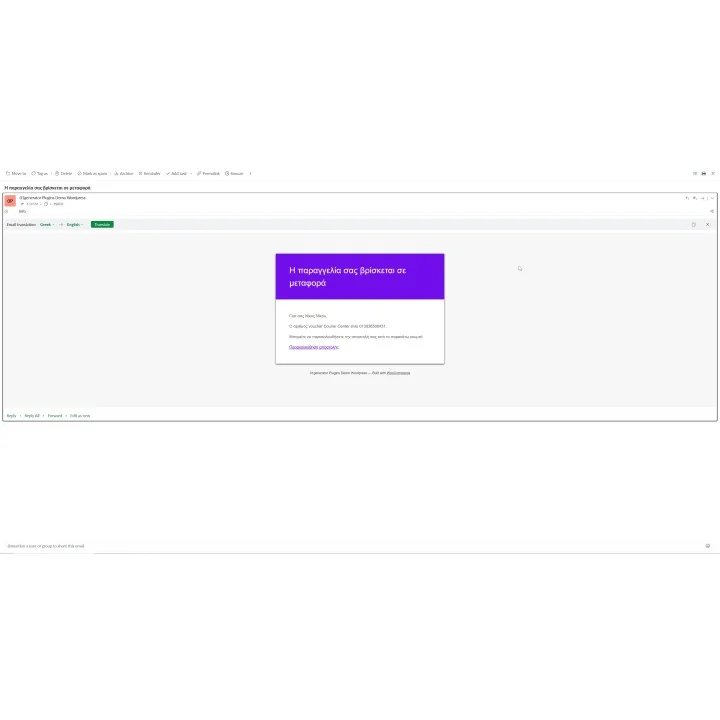
  • Send customers their voucher number and tracking information automatically.
  • Use CRON tracking to check shipment progress automatically.
  • Move delivered or delayed orders to the WooCommerce statuses you configure.
  • Optionally send a customer email when an order is confirmed as delivered.

How it works

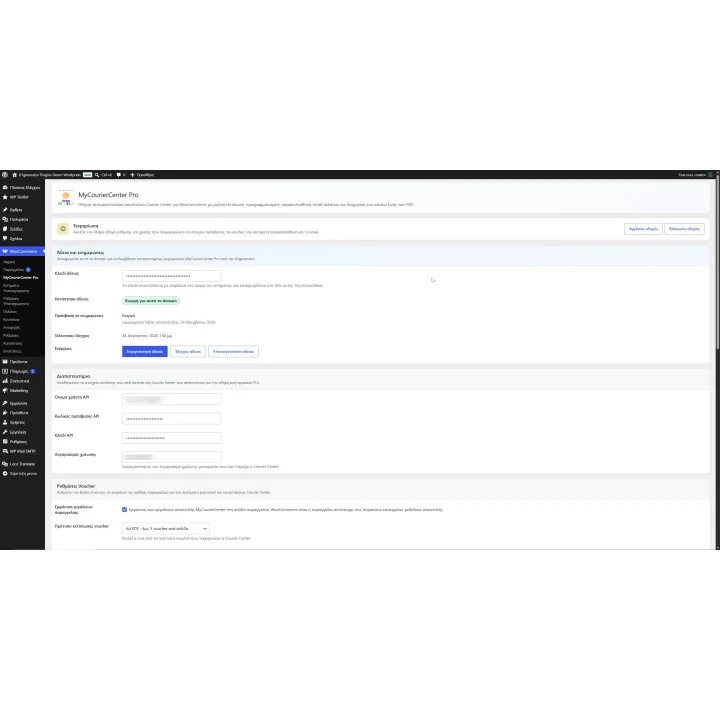
  1. Connect MyCourierCenter Pro with the Web Services/API credentials provided for your Courier Center business account.
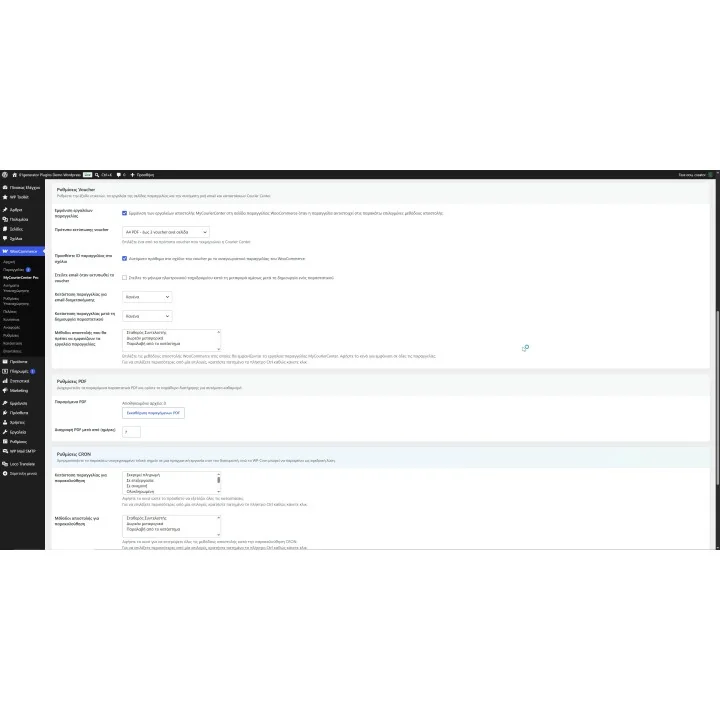
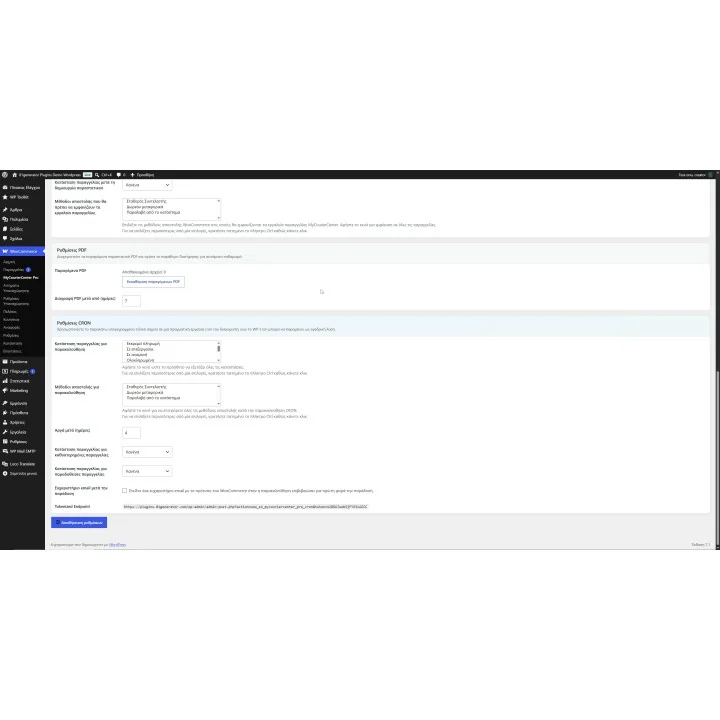
  2. Configure your shipment defaults, COD rules, voucher options and WooCommerce order-status automation.
  3. Create a Courier Center voucher from an individual WooCommerce order or process multiple selected orders in bulk.
  4. Print, cancel or track shipments directly from your WooCommerce workflow.
  5. Optionally run the CRON tracking process so delivered and delayed shipments can update their WooCommerce order status automatically.

Who this plugin is for

MyCourierCenter Pro is built for WooCommerce stores shipping with Courier Center that want to reduce repetitive courier data entry and manage everyday shipment operations directly from WooCommerce.

It is particularly useful for stores processing multiple shipments regularly, as well as agencies and developers managing WooCommerce stores for their clients.

What your customers will like

Customers can receive their Courier Center tracking information automatically, making it easier to follow their shipment without contacting your store for routine delivery updates.

Automated delivery-status handling also helps keep their WooCommerce order progress accurate as the shipment moves through the Courier Center network.

Installation

Installation follows the standard WordPress and WooCommerce plugin workflow. After activation, open the plugin settings and configure the Courier Center connection and shipment options for your store.

Before purchasing, make sure you have:

  • An active WordPress and WooCommerce store.
  • An active Courier Center business account.
  • Courier Center Web Services/API access and the credentials supplied for your account.
  • CRON access on your hosting if you want automatic shipment tracking and order-status updates.
  • A suitable printer if you need to print physical courier vouchers.

Frequently asked questions

Do I need a Courier Center business account?

Yes. MyCourierCenter Pro connects to Courier Center Web Services, so you need your own Courier Center business account with the required API access and credentials.

Can I create Courier Center vouchers directly from WooCommerce?

Yes. You can create shipment vouchers from WooCommerce orders without manually re-entering the order and customer details in a separate courier system.

Can I process multiple orders at once?

Yes. MyCourierCenter Pro supports bulk shipment actions so multiple selected WooCommerce orders can be processed and their vouchers printed together.

Can order statuses update automatically from Courier Center tracking?

Yes. With the CRON tracking workflow configured, shipment results can be checked automatically and WooCommerce orders can move to the delivered or delayed statuses you choose.

Can customers receive tracking information automatically?

Yes. The plugin can send Courier Center shipment and tracking information to the customer as part of the configured order workflow.
Comments (0)

No customer reviews for the moment.

4 other products in the same category

Loading...
Back to top