Follow us on:

Product Options Configurator – Dynamic Pricing for PrestaShop

  • Last update 09/07/2026
  • PrestaShop version 1.7.X - 9.X
  • Module version 1.1.0

Create configurable PrestaShop products with dimensions, dropdowns, numeric fields and rule-based dynamic pricing. Calculate the final price from customer selections and copy configurations across multiple products with the Mass Option Generator.

Price: €99.99
Tax included

then 3 months upon purchase for support and unlimited updates

  • Open Source Code
  • 3 months upon purchase with unlimited downloads while support is active
  • Each purchase equals to one license of use, each license is valid for only one Store. Each license is registered to one domain.
Try the demo
€99.99
  • Support
    3 months from the purchase date
  • Download Updates
    Free download updates as long as you have active support
  • License
    1 license per domain
  • Current Version
    1.1.0
  • Compatibility
    v1.7.x
    v8.X
    v9.X
  • Last Update Date (MM/DD/YYYY)
    09/07/2026

About module

Version
1.1.0
Last update
09/07/2026
Available in
English, Greek
Read documentation

What this module does for you

01 Product Options Configurator lets you sell PrestaShop products whose final price depends on customer-selected dimensions, options or characteristics.

Instead of creating hundreds of combinations for every possible size or specification, you can define configurable fields and calculate the final product price through pricing rules.

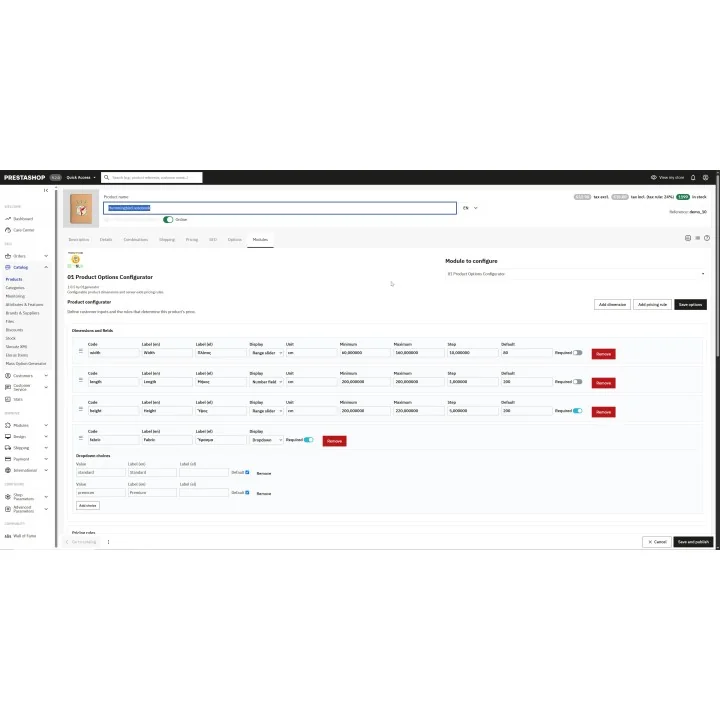
  • Create range sliders for dimensions such as width, length or height.
  • Add dropdowns for fixed choices such as material, firmness, finish or cover type.
  • Add numeric fields with minimum, maximum, step and default values.
  • Add text fields for customer information that does not affect numeric pricing.
  • Show the configured price live while the customer changes selections.
  • Define different base prices according to one or more selected values.
  • Add extra amounts when specific conditions are met.
  • Use multiple additive pricing rules in the same configuration.
  • Keep different configurations of the same product as separate cart lines.
  • Preserve the selected configuration and calculated price in the cart and order.
  • Copy a tested configuration to multiple products or entire categories with the Mass Option Generator.

How it works

  1. Create the configurable fields you need, such as width, length, height, material or firmness.
  2. Choose the appropriate field type: range slider, dropdown, number or text.
  3. Create base-price rules that define the starting price for specific configurations.
  4. Add optional extra-price rules for selections that should increase the final price.
  5. The customer selects the required options on the product page.
  6. The module calculates the configured price and can display it immediately.
  7. When the product is added to the cart, the selected values and calculated price are stored with that configuration.

Flexible rule-based pricing

The module supports two main pricing rule types.

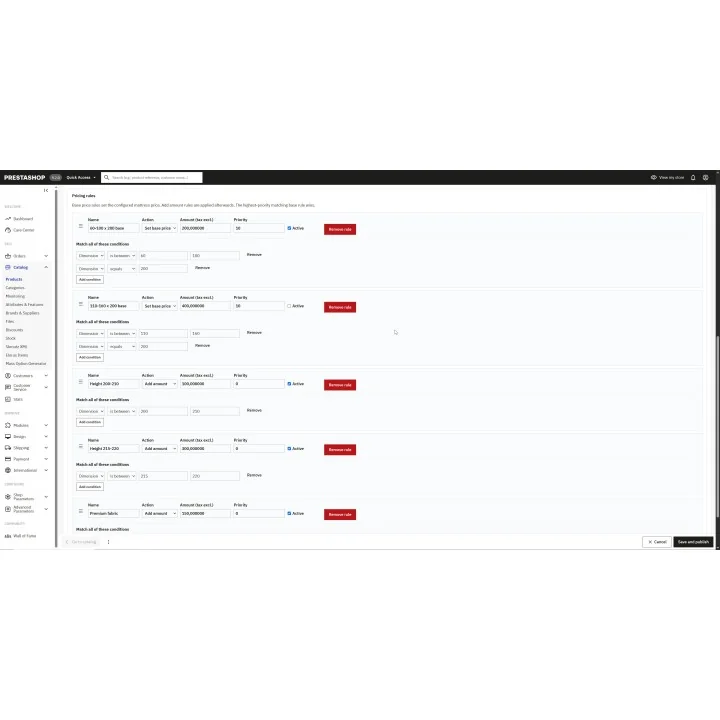
Set base price rules define the starting price when all conditions of the rule match.

For example:

  • Width 60–100 cm and length 200 cm → base price €200
  • Width 101–160 cm and length 200 cm → base price €400

If more than one base-price rule matches, the rule with the highest priority is used.

Add amount rules are applied after the base price and can be combined.

For example:

  • Extra length 201–210 cm → +€100
  • Extra length 211–220 cm → +€300
  • Premium cover → +€75

The final configured price is calculated as:

matching base price + all matching additional amounts

Available configurable field types

  • Range slider: ideal for bounded values such as width, length or height.
  • Dropdown: ideal for predefined choices such as material, firmness or finish.
  • Number field: allows customers to enter a numeric value inside configured limits.
  • Text field: collects additional customer information that does not affect numeric range calculations.

Numeric fields can include minimum and maximum values, increments, default values and units.

Mass Option Generator

When several products need the same configurator structure, you do not have to rebuild the setup manually.

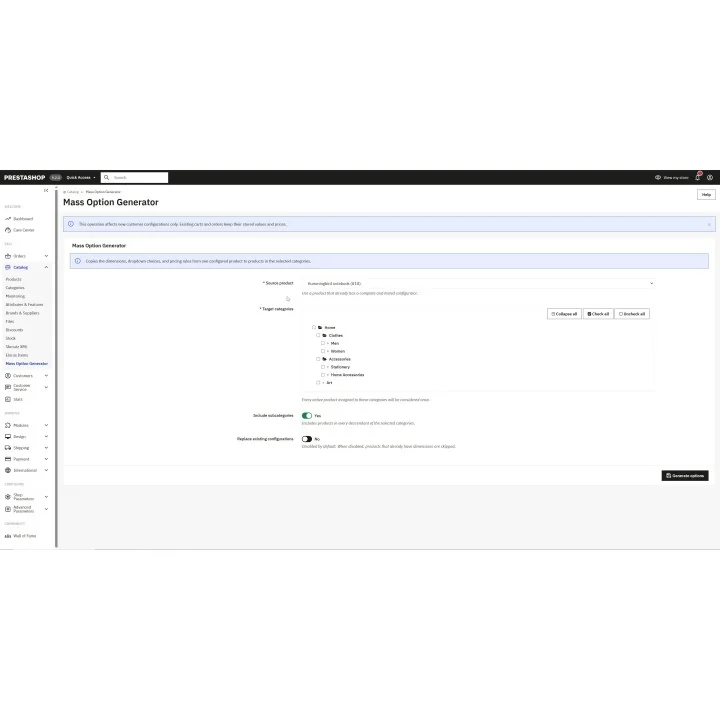
The Mass Option Generator lets you create and test one source product and then copy its configuration to products in selected categories.

  • Copy dimensions and configurable fields.
  • Copy dropdown choices.
  • Copy all pricing rules.
  • Include subcategories when required.
  • Protect products that already have their own configuration by leaving replacement disabled.
  • Process products assigned to multiple selected categories only once.

Configurations stay connected to the order

Each customer configuration is stored as a separate PrestaShop customization.

This means that two different versions of the same product can remain as separate cart lines, while the selected values and configured price remain available throughout the cart and order workflow.

Existing cart and order configurations keep the price calculated when they were created, even if pricing rules are changed later.

Who this module is for

This module is useful for stores selling products whose price depends on dimensions or configurable characteristics, such as:

  • mattresses,
  • foam products,
  • custom furniture,
  • blinds and curtains,
  • glass or panel products,
  • made-to-measure products,
  • custom materials sold by dimensions,
  • other products that require rule-based pricing instead of fixed PrestaShop combinations.

Prices, taxes and specific prices

Pricing-rule amounts are entered tax excluded. PrestaShop applies the product tax rules when displaying the final configured price in the cart and order.

Product-specific percentage and fixed-amount reductions can also be applied to the configured price according to PrestaShop pricing behavior.

Installation

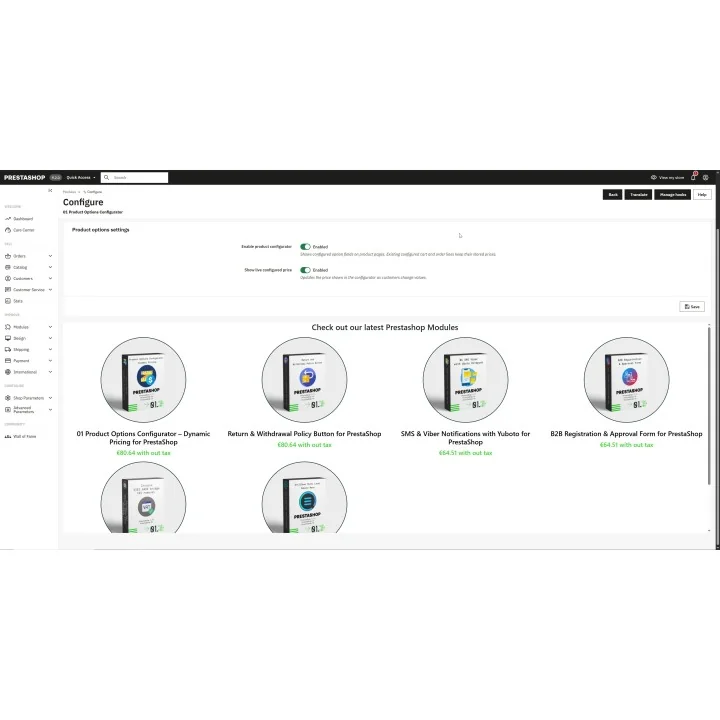
Install the module through the standard PrestaShop module installation process. After installation, open the module configuration and enable the product configurator.

Configuration fields and pricing rules are then created from the Product configurator section available in the product back office.

Before purchasing, make sure you have:

  • An active PrestaShop store.
  • A clear pricing structure for the configurable products you want to create.
  • Defined minimum, maximum and step values for dimensional fields where required.
  • A tested price table for products that use multiple pricing conditions.

Frequently asked questions

Can the product price change according to dimensions selected by the customer?

Yes. You can define base-price and additional-price rules using values such as width, length, height or other configurable fields.

Do I need to create hundreds of PrestaShop combinations?

No. The module uses configurable fields and pricing rules instead of requiring a combination for every possible customer selection.

Can several additional pricing rules apply at the same time?

Yes. Multiple Add amount rules can match the same configuration and their amounts are added together.

What happens if no base-price rule matches?

The module falls back to the normal tax-excluded PrestaShop product price instead of creating a zero-price configuration.

Can customers see the calculated price before adding the product to the cart?

Yes. The module includes an option to show the live configured price while customers change their selections.

Can I use the same configurator on many products?

Yes. The Mass Option Generator can copy fields, dropdown choices and pricing rules from one tested source product to products in selected categories.

What happens to old orders if I change the pricing rules?

Existing cart and order configurations retain the price calculated when they were created. Rule changes affect new configurations only.
Comments (0)

No customer reviews for the moment.

4 other products in the same category

Loading...
Back to top