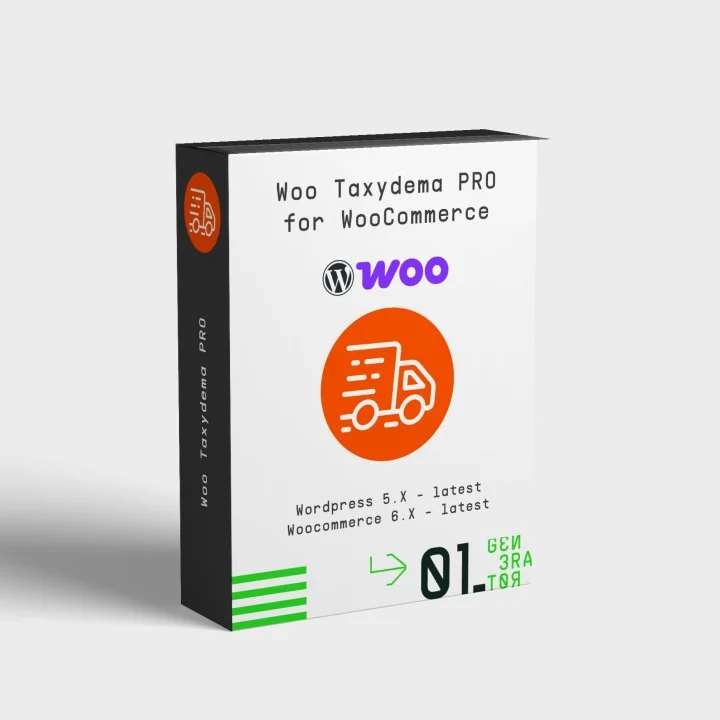
MyTaxydema Pro – Taxydema Courier Integration for WooCommerce
- Last update 08/25/2026
- WooCommerce version 5.X - 10.X
- Module version 0.1.3
Create, print, cancel and track Taxydema Courier vouchers directly from WooCommerce, with bulk actions, automatic tracking, customer emails and order-status automation.
- Support3 months from the purchase date
- Download UpdatesFree download updates as long as you have active support
- License1 license per domain
- Current Version0.1.3
- Compatibilityv5.X
v6.X
v7.X - Last Update Date (MM/DD/YYYY)08/25/2026
What this plugin does for you
MyTaxydema Pro connects WooCommerce with the Taxydema Courier Deliverd API v5.01 so you can create, print, manage and track shipment vouchers directly from your existing order workflow. Customer and order information stays connected to WooCommerce, reducing repetitive data entry during everyday fulfilment.
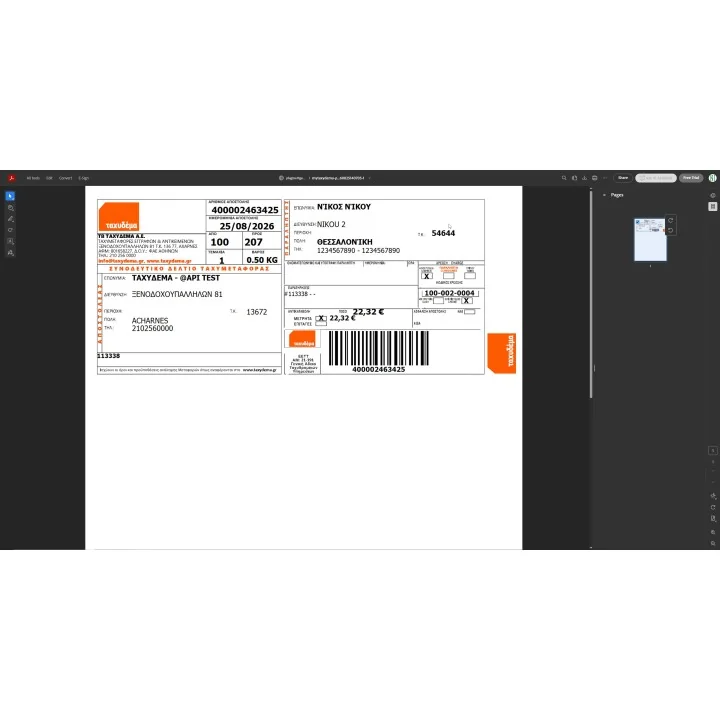
- Create and print Taxydema Courier vouchers directly from individual WooCommerce orders.
- Reprint an existing voucher without creating a duplicate Taxydema shipment.
- Track shipments and keep the latest carrier checkpoint and tracking history stored with the WooCommerce order.
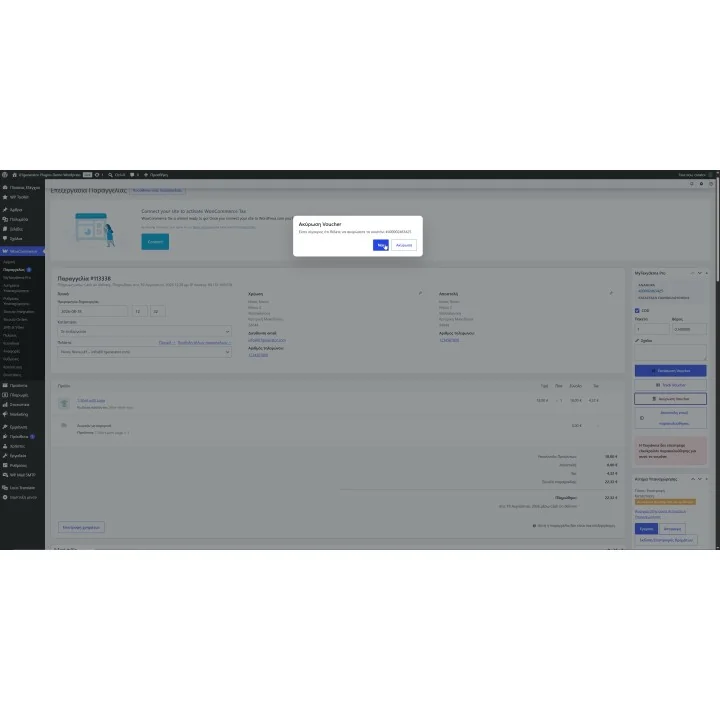
- Cancel vouchers remotely and automatically clear the stored master reference, item references and tracking information after successful cancellation.
- Create shipments with COD, parcel count, total weight and shipment comments.
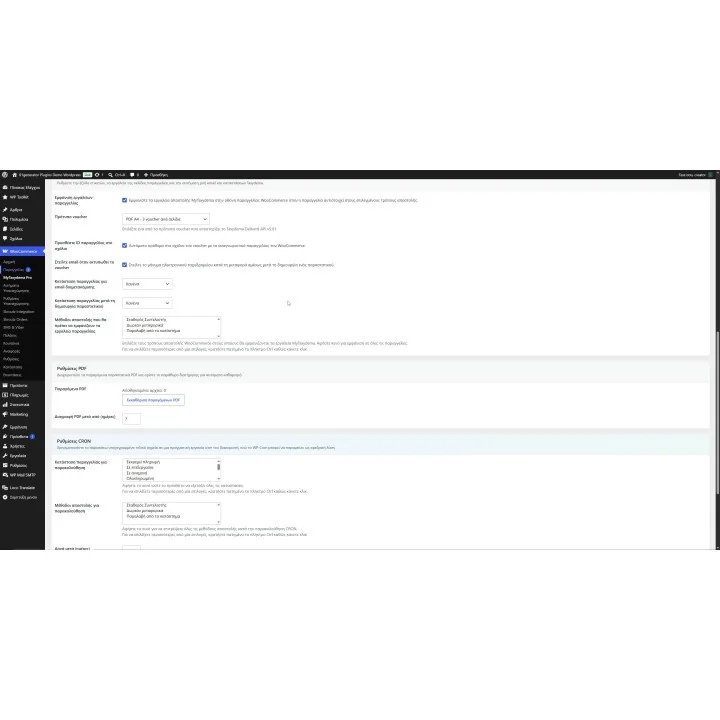
- Choose from A4 PDF, preprinted A4, 205x100 mm, 100x150 mm and 100x170 mm voucher layouts, including dedicated single-voucher and preprinted formats.
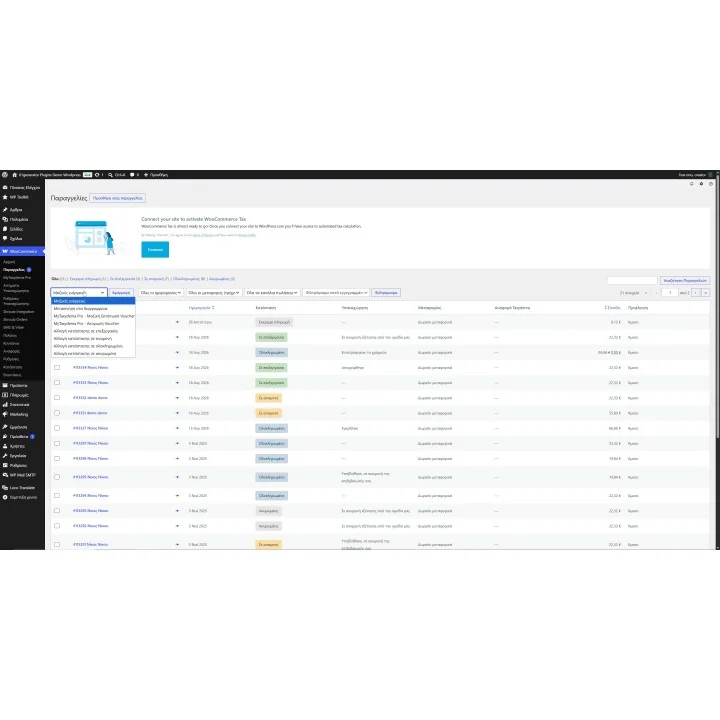
- Process multiple WooCommerce orders with mass voucher printing, with up to 60 Taxydema master references handled per voucher request and one final PDF download.
- Create missing shipments and reprint existing vouchers automatically during the mass-print workflow.
- Cancel vouchers for multiple selected orders using the dedicated bulk cancellation action.
- See the carrier and Taxydema reference directly in the WooCommerce orders list.
- Filter orders by shipping method to quickly focus on shipments handled through your Taxydema workflow.
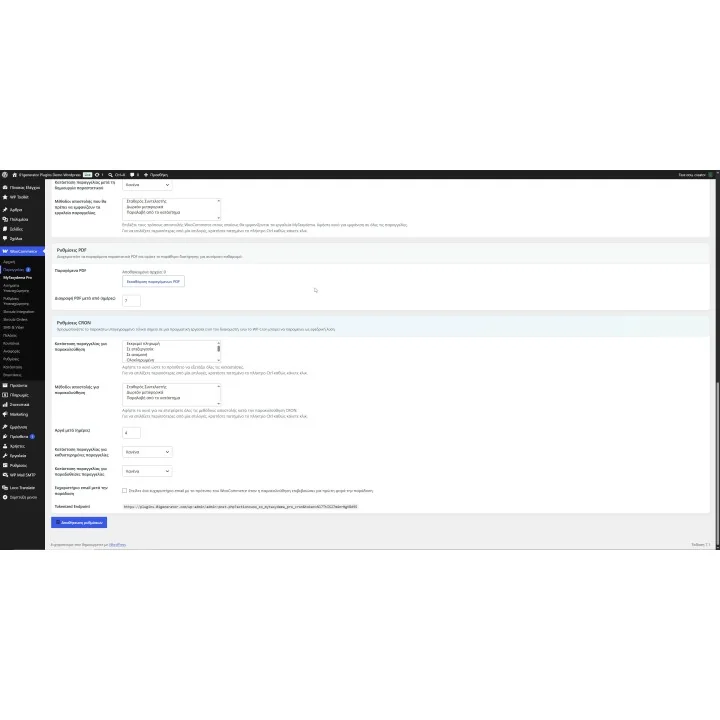
- Track shipments automatically using the signed server CRON endpoint, with WP-Cron available as a fallback.
- Automatically move late or delivered shipments to the WooCommerce order statuses you configure.
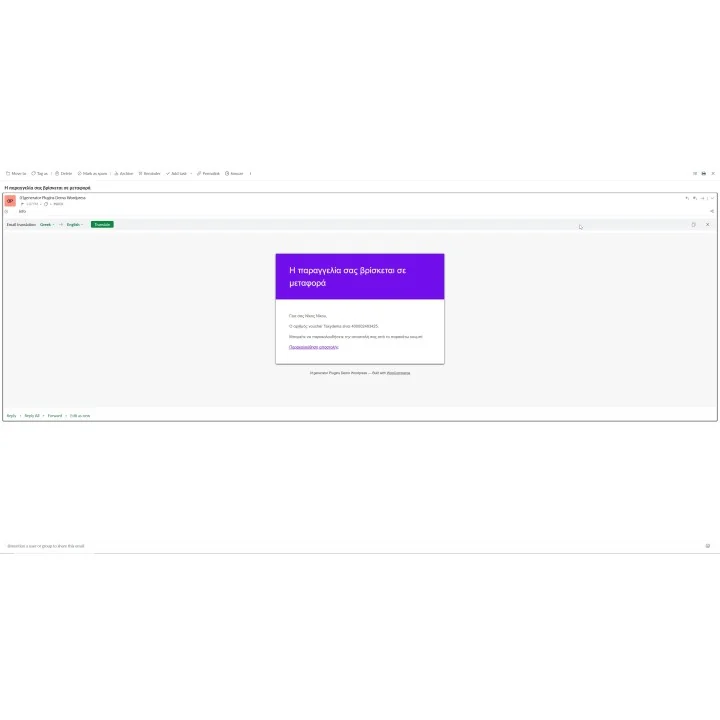
- Send WooCommerce-styled In Transit emails with Taxydema voucher and tracking information.
- Optionally send a Delivery Thank You email once automatic tracking confirms delivery.
- Automatically remove generated voucher PDFs after the retention period you configure.
How it works
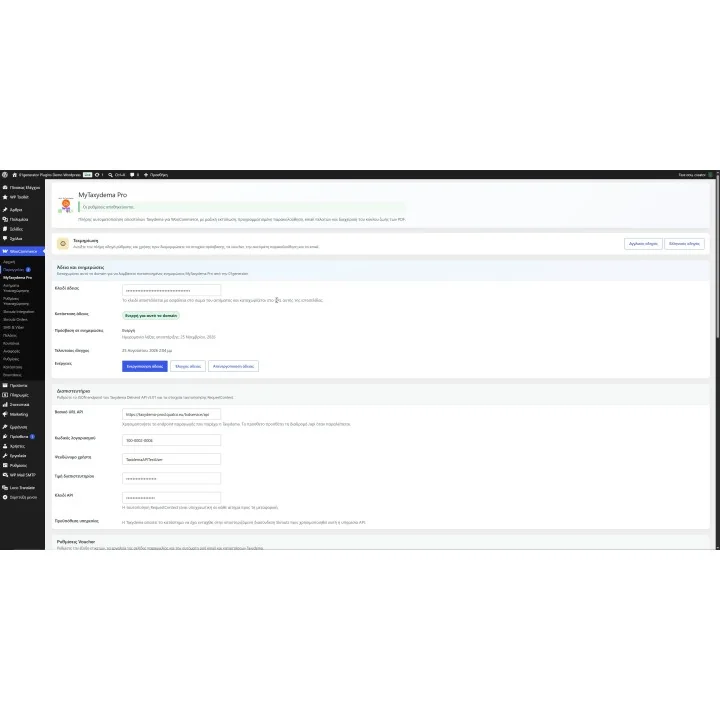
- Connect MyTaxydema Pro using the API Base URL, Account Code, User Alias, Credential Value and API Key supplied for your Taxydema Deliverd API v5.01 account.
- Configure your preferred voucher template, shipment options, email triggers and WooCommerce order-status automation.
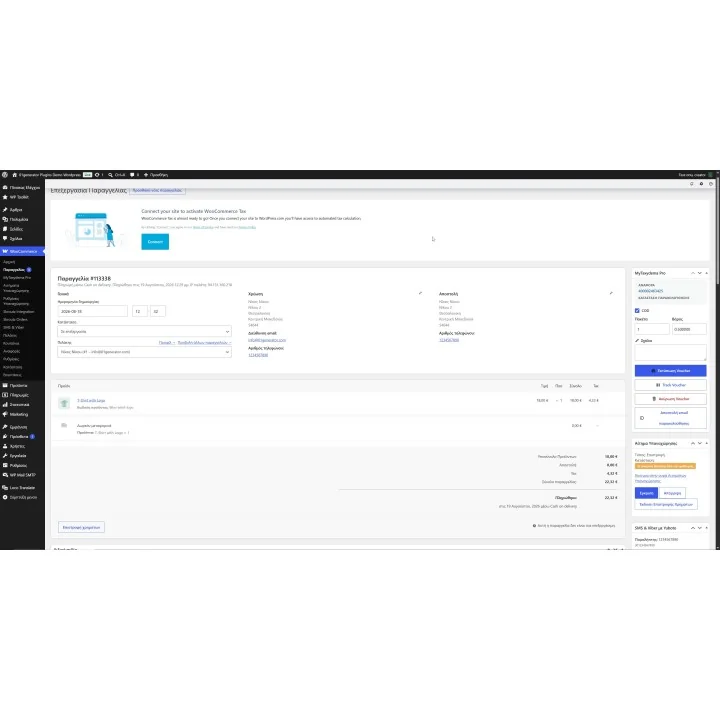
- Open a WooCommerce order, review the COD, parcel count, weight and shipment comment, then create and print the Taxydema voucher using the customer and order data already stored in WooCommerce.
- Print, reprint, track or cancel the shipment from the order, or use the WooCommerce orders list for mass printing and bulk cancellation.
- Optionally configure the signed server CRON endpoint so MyTaxydema Pro can track eligible shipments and automatically handle delivered or late orders according to your settings.
Who this plugin is for
MyTaxydema Pro is designed for WooCommerce stores shipping with Taxydema Courier that want to manage courier operations from the same workflow they already use for processing orders.
It is particularly useful for merchants processing shipments regularly who want to reduce repetitive data entry, speed up voucher handling and automate routine tracking, order-status updates and customer communication.
What your customers will like
Customers can receive a WooCommerce-styled In Transit email containing their Taxydema voucher and tracking information, helping them follow their shipment without contacting your store for routine delivery updates.
When automatic tracking is enabled, WooCommerce order statuses can stay aligned with shipment progress, while an optional Delivery Thank You email can be sent once Taxydema confirms delivery.
Installation
Installation follows the standard WordPress plugin workflow. Upload and activate the MyTaxydema Pro ZIP package, then open WooCommerce > MyTaxydema Pro to activate your license and configure the Taxydema API connection.
Before purchasing, make sure you have:
- WordPress 6.5 or newer with WooCommerce installed and active.
- PHP 7.4 or newer. The PHP SOAP extension is not required.
- A Taxydema Deliverd API v5.01 account.
- Enrollment in the Taxydema/Skroutz service required by Taxydema for this API.
- Your Taxydema API Base URL, Account Code, User Alias, Credential Value and API Key.
- A valid MyTaxydema Pro license activated for your website domain.
- HTTPS is recommended for your store and required for secure remote administration.
- Server CRON access if you want the recommended scheduled tracking setup. WP-Cron remains available as a fallback.
Frequently asked questions
Which Taxydema API credentials do I need?
MyTaxydema Pro uses the Taxydema Deliverd API v5.01. You need the API Base URL, Account Code, User Alias, Credential Value and API Key supplied for your Taxydema account. Your account must also be enrolled in the Taxydema/Skroutz service required by Taxydema for this API.
Can I create and print Taxydema vouchers in bulk?
Yes. Select multiple orders from the WooCommerce orders list and use the MyTaxydema Pro mass-print action. Missing shipments are created, existing vouchers are printed again, and up to 60 master references can be processed in each Taxydema voucher request before providing one final PDF download.
Which voucher formats does MyTaxydema Pro support?
MyTaxydema Pro supports A4 PDF, preprinted A4, single 205x100 mm PDF, single preprinted 205x100 mm, single 100x150 mm PDF and single 100x170 mm PDF voucher layouts.
Can Taxydema tracking update WooCommerce orders automatically?
Yes. MyTaxydema Pro supports scheduled tracking through a signed server CRON endpoint, with WP-Cron available as a fallback. You can choose which order statuses and shipping methods should be tracked, define when an undelivered shipment is considered late and configure the WooCommerce statuses used for late and delivered orders.
Can customers receive Taxydema tracking information automatically?
Yes. MyTaxydema Pro registers WooCommerce-styled In Transit and Delivery Thank You emails. Their subjects and content can be managed from WooCommerce > Settings > Emails and translated through the plugin language files.
Does MyTaxydema Pro support WooCommerce HPOS?
Yes. The WooCommerce order-list tools, courier columns and bulk actions support both High-Performance Order Storage (HPOS) and the classic WordPress order system.
Comments (0)
Your review appreciation cannot be sent
Report comment
Report sent
Your report cannot be sent