What this plugin does for you
PireosPay connects WooCommerce with the epay Paycenter Redirection service provided through Euronet Merchant Services, allowing your customers to complete supported payments on the bank's payment environment while WooCommerce receives and verifies the transaction result.
- Add Piraeus Bank / epay Paycenter as a payment method in WooCommerce.
- Redirect customers to the epay payment environment to complete the transaction securely.
- Configure separate epay merchant credentials for each supported currency.
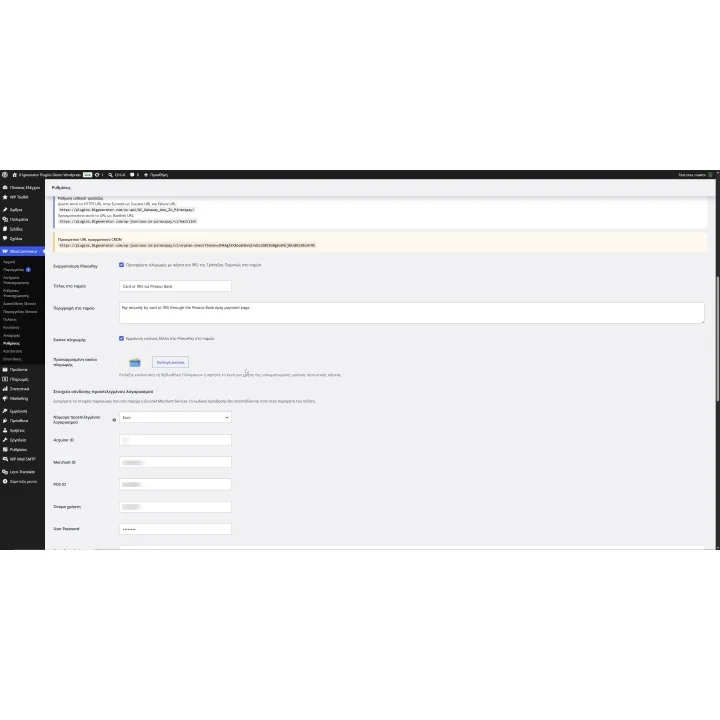
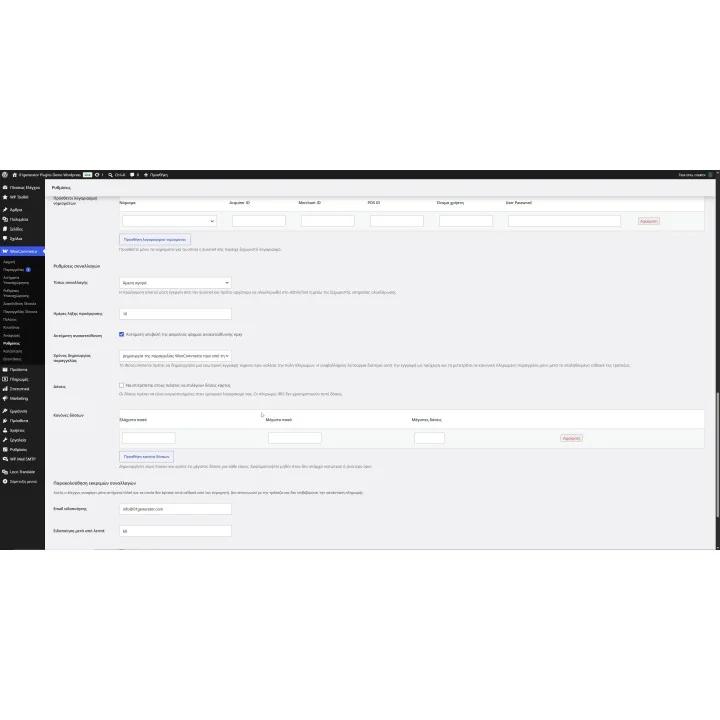
- Use different Acquirer ID, Merchant ID, POS ID, username and password credentials per currency where supplied by Euronet.
- Offer installments when they are enabled in your merchant agreement.
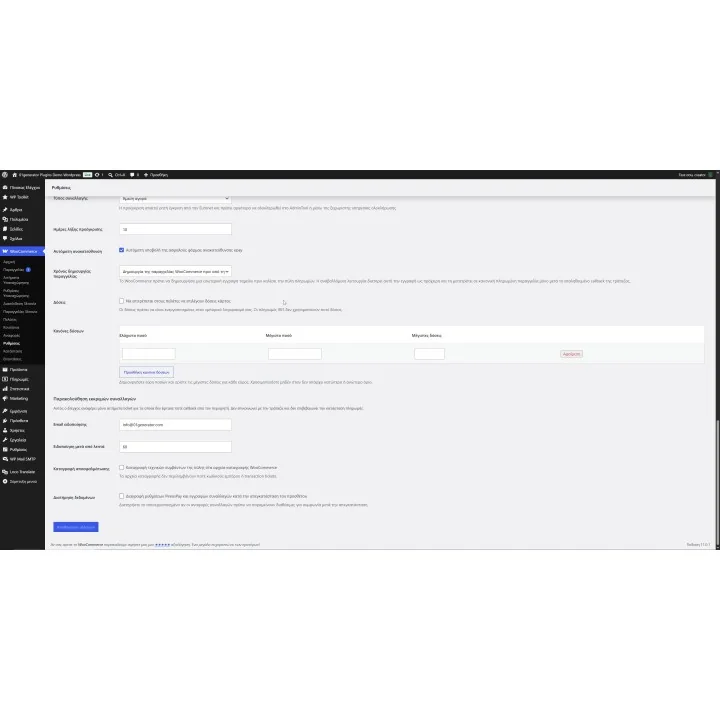
- Create installment rules based on minimum and maximum order amounts and the maximum number of installments available.
- Support IRIS payments when IRIS is enabled for your merchant account and the transaction is not using installments or preauthorization.
- Use immediate purchase for standard payments or preauthorization when that functionality has been explicitly approved for your account.
- Choose standard order timing or deferred timing according to how you want WooCommerce orders handled before the verified bank callback arrives.
- Use verified HTTPS Success and Failure callbacks to update the WooCommerce payment result.
- Store the transaction ID and Support Reference ID with successful WooCommerce payments.
- Prevent an already paid order from offering another payment ticket when an old payment page is reloaded.
- Support both WooCommerce Classic Checkout and Checkout Blocks.
- Monitor transactions where a payment ticket was issued but no callback reached WooCommerce.
- Use the hourly WP-Cron monitor or the token-protected server CRON URL for unresolved callback checks.
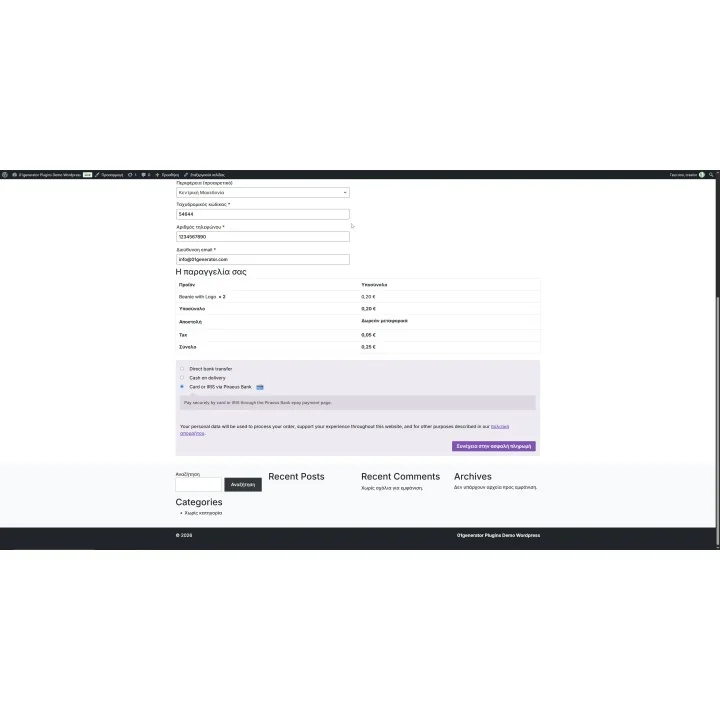
- Customize the payment title, description and checkout image shown to your customers.
How it works
- Obtain epay Paycenter Redirection credentials from Euronet Merchant Services and confirm which currencies and optional features are enabled for your merchant account.
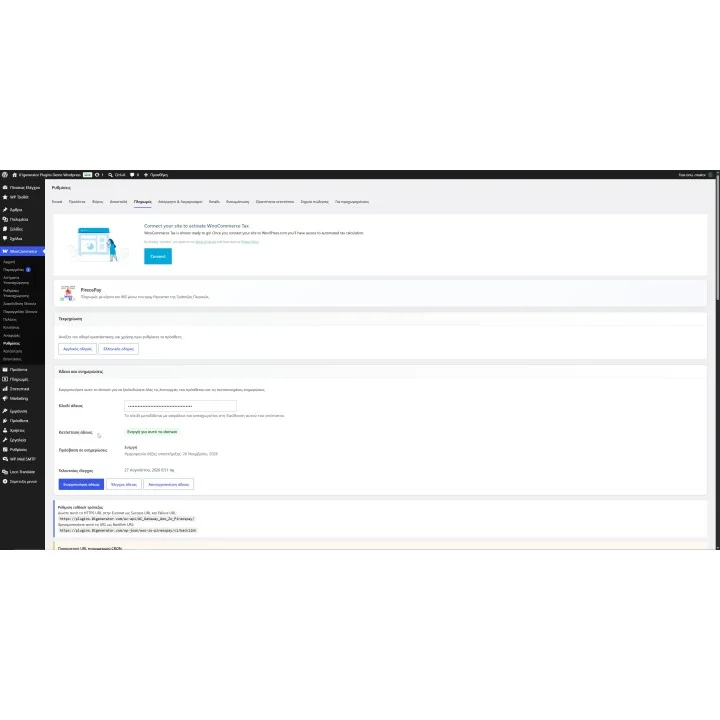
- Open WooCommerce > Settings > Payments > PireosPay, activate your license and enter the credentials for your default currency and any additional currency accounts.
- Configure the checkout appearance, transaction type, installment rules and order timing according to the services approved for your merchant agreement.
- Register the HTTPS callback URL as both the Success URL and Failure URL in the Euronet configuration, and register the displayed Backlink URL.
- When a customer chooses PireosPay, WooCommerce creates the payment flow and redirects the customer to epay. The verified callback is then used to update the order according to the transaction result.
Who this plugin is for
PireosPay is designed for WooCommerce merchants with an epay Paycenter Redirection merchant agreement who want to connect their store directly with the payment services enabled for their account.
It is especially useful for stores that need support for multiple currencies, installment plans or additional merchant features such as IRIS or preauthorization while keeping payment results connected to the WooCommerce order workflow.
What your customers will like
Customers complete the supported payment through the epay payment environment and return to your WooCommerce store after the transaction, while the verified callback determines the final payment result.
Depending on the services enabled in your merchant agreement, customers can also have access to options such as installments or IRIS without requiring a separate WooCommerce payment integration.
Installation
Install and activate PireosPay through the standard WordPress plugin workflow, then open WooCommerce > Settings > Payments > PireosPay. Activate your license, configure the merchant credentials and payment options, and register the callback and Backlink URLs in your Euronet merchant configuration.
Before purchasing, make sure you have:
- An active WordPress and WooCommerce store.
- HTTPS enabled on your store.
- An epay Paycenter Redirection merchant account through Euronet Merchant Services.
- The Acquirer ID, Merchant ID, POS ID, username and password supplied for each currency you want to accept.
- Confirmation from Euronet regarding which currencies and optional services are enabled for your merchant account.
- Installments enabled in your merchant agreement if you want to offer installment payments.
- IRIS enabled for your merchant account if you want to offer IRIS payments.
- Explicit Euronet approval if you want to use preauthorization instead of immediate purchase.
- A valid PireosPay license activated for your website domain.
- Publicly reachable callback URLs that are not blocked by authentication, firewall rules, maintenance mode or caching.
Frequently asked questions
What credentials do I need for PireosPay?
You need epay Paycenter Redirection credentials supplied through Euronet Merchant Services. For each configured currency, the plugin uses an Acquirer ID, Merchant ID, POS ID, username and password. Different currencies can use different credentials.
Does PireosPay support installments?
Yes, when installments are enabled in your merchant agreement. You can create rules with minimum and maximum order amounts and define the maximum installment count available for each range.
Does the gateway support IRIS payments?
Yes, when IRIS is enabled for your merchant account by Euronet. IRIS is controlled by the merchant agreement and is not available when the transaction uses installments or preauthorization.
Can I accept payments in more than one currency?
Yes. PireosPay allows additional currency accounts to be configured with the separate merchant credentials issued for each currency. Every configured currency should be tested with its own credentials before going live.
What happens if WooCommerce does not receive the bank callback?
PireosPay includes unresolved-callback monitoring through an hourly WP-Cron task and a token-protected server CRON URL. It reports transactions where a payment ticket was issued but no callback reached WooCommerce. A missing callback does not by itself prove that the payment succeeded or failed, so the transaction should be checked in the epay administration environment before changing the order.
Comments (0)
Your review appreciation cannot be sent
Report comment
Report sent
Your report cannot be sent